Book a free call
Google reviews: 5.0 stars

Home / Insights / Website accessibility

Website accessibility for small businesses, in plain English


Man wearing glasses looking straight at the camera on a tree-lined street at sunset

One in five Australians lives with disability. That's 5.5 million people, at the last national survey in 2022.

Now look at your own website and ask whether one in five of your visitors can use it comfortably. Most business owners have never been asked that question, which isn't their fault. Nobody sells accessibility to them. It doesn't come with a badge.

What it actually means

It means your website works for someone who can't see it, can't use a mouse, can't hear your video, or is reading it at double size because the light in here is terrible.

In practice that's a short list of build decisions. Text dark enough to read. Photos with a written description attached, so the software that reads a page out loud has something to say about them. Form fields with proper labels. A site you can get around using just the Tab key. Headings in a sensible order.

None of it is exotic. Most of it is building the thing properly the first time.

And the cost of skipping it is quiet, which is exactly why it gets skipped. Someone can't fill in your enquiry form, so they ring the next business on the list. You never hear that it happened.

The legal bit, calmly

Australian law has covered this since the 90s. The Disability Discrimination Act applies to the way you provide goods and services, and your website is part of how you do that, the same way your front door is.

There's no certificate to buy and no small business exemption. There is an international standard for how it's done properly, called WCAG, and working to it is your web person's job, not yours. We're web people and not lawyers, so treat this as context and not legal advice. The practical version: nobody's going to knock on your door about it, but "I didn't know" isn't much of a defence if someone ever complains.

Six fixes that cover most of it

1/

Darker text

Light grey on white looks elegant in the design file and vanishes on a phone in sunlight. It's the most common problem we find, and the fix takes a minute.

2/

A description on every photo

A line of text saying what the picture shows, read out loud by the software blind visitors use to browse. Describe what's in it, not the file name. "Physiotherapist treating a patient's shoulder" beats "IMG_4471".

3/

Proper labels on your forms

Grey text sitting inside a box isn't a label. It disappears the second someone starts typing, and reading software may never announce it at all. Your enquiry form is the last page on your site you can afford to make confusing.

4/

It has to work without a mouse

Unplug yours and press Tab through your homepage. Can you reach the menu, the phone number, the booking button? Can you see where you are on the page? If you can't, neither can a chunk of your visitors.

5/

Headings in order

One main heading, then section headings underneath it. Not picked because that size looked nicer. Reading software follows that outline to skim your page, and so does Google, which is why this one quietly helps you get found.

6/

Links that say where they go

"Click here" tells a blind visitor nothing, because their software reads the links out as a list. "Read our pricing" tells them everything. Same effort, better site.

The $49 a month badge

At some point someone will offer you a widget. One line of code, a little accessibility icon floating in the corner, instant compliance, $49 a month. Ahem. That sounds convenient.

It sits on top of your website without changing anything underneath, which is the whole problem. It can't darken your text. It can't label your forms. It can't reorder your headings. You'd be paying a subscription every month to put a badge on a problem nobody has solved.

Do the six things above instead. Cheaper, and real.

It quietly helps everyone else too

Every one of those fixes has a second audience, which is the part nobody mentions.

Darker text helps anyone reading outdoors. Captions help everyone watching your video with the sound off on the train. Proper headings help Google understand your page. Bigger tap targets help anyone holding a toddler. Clear links help a distracted person skimming at 11pm.

Accessibility isn't a favour you do for a minority. It's what a well-built website looks like. Same reason the ramp at the entrance gets used by prams and delivery trolleys, not just wheelchairs.

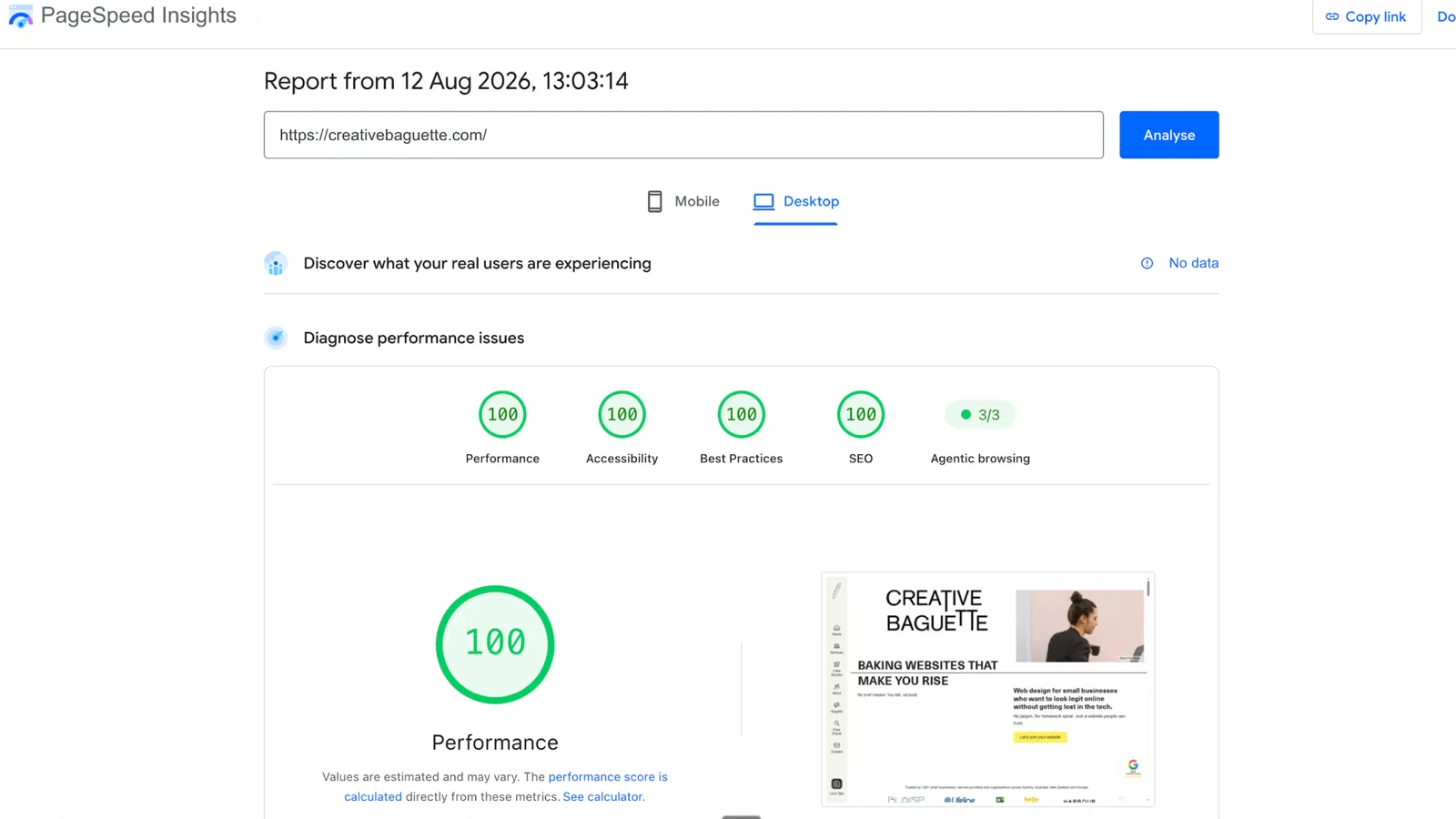
It also shows up in the free Google test as a score out of 100, which makes it one of the few quality checks you can run on yourself in a minute. The speed post covers how to run it. Our own site scores 100 there, and every site we build is built the same way.

What it costs.

  • On a new build with us: nothing extra. It's how we build, and it's why our own site scores 100 for accessibility in Google's test
  • On an existing site: the common fixes are usually a day or two, or handled inside a care plan from $97/month
  • Want it written down first? An audit from $450 covers accessibility alongside speed, SEO and security

No monthly widget. No certificate. Just the site built the way it should have been.

Book a website audit

Website accessibility FAQs

Does my small business website legally need to be accessible in Australia?

Australian law has covered this since the 90s. The Disability Discrimination Act applies to the way you provide goods and services, and that includes your website. There's no small business exemption and no certificate to buy. We're web people and not lawyers, so treat that as context rather than legal advice.

What is WCAG, and do I need to worry about it?

WCAG is the international standard for how an accessible website is built. You don't need to learn it. It's your web person's job to work to it, the same way your electrician knows the wiring rules without handing you the book.

Do those accessibility widgets actually work?

Not really. A widget sits on top of your website without changing what's underneath, so it can't fix the things that actually matter: your contrast, your form labels, your headings. You'd be paying a monthly subscription to put a badge on an unsolved problem.

What does it cost to fix an existing website?

The common fixes (darker text, image descriptions, real form labels, headings in order) are usually a day or two of work, or handled inside a care plan. On a new build it costs nothing extra, because it's a way of building rather than an add-on.

Want a straight answer about your site? Send us a message.

More insights

Not sure where your site stands?

Twenty minutes, straight answers, no obligation to proceed.

No pressure, no perfect brief needed.

Book a free 20-minute chat

Not ready to chat? Get your free online presence check instead.

/ Written by Manon Vernay, founder of Creative Baguette · her story